A line for every gym machine
Stop hovering.
Hold your spot on any machine. Go train while you wait.
- Hovering by the squat rack again?
- Asked “how many sets left?” and got “a few”?
- Going cold while someone scrolls between sets?
NextQup holds your place in line. Go do another exercise. You get a ping when the person on the machine is almost done, so you have time to walk back before they finish.

Free on iPhone. The person on the machine scans with any phone camera.
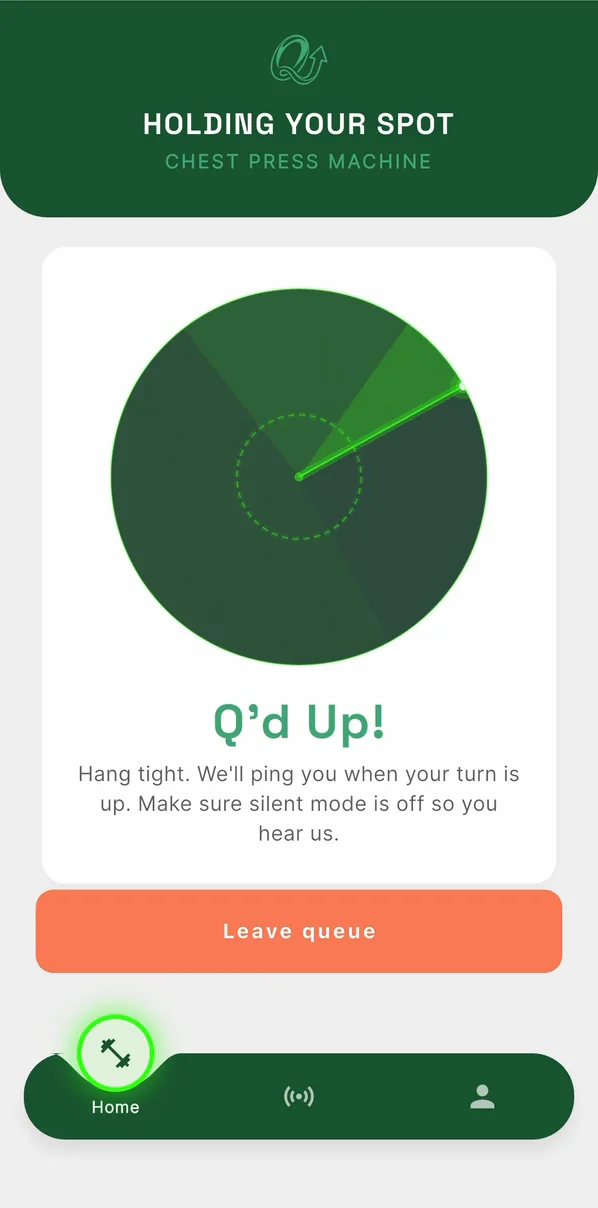
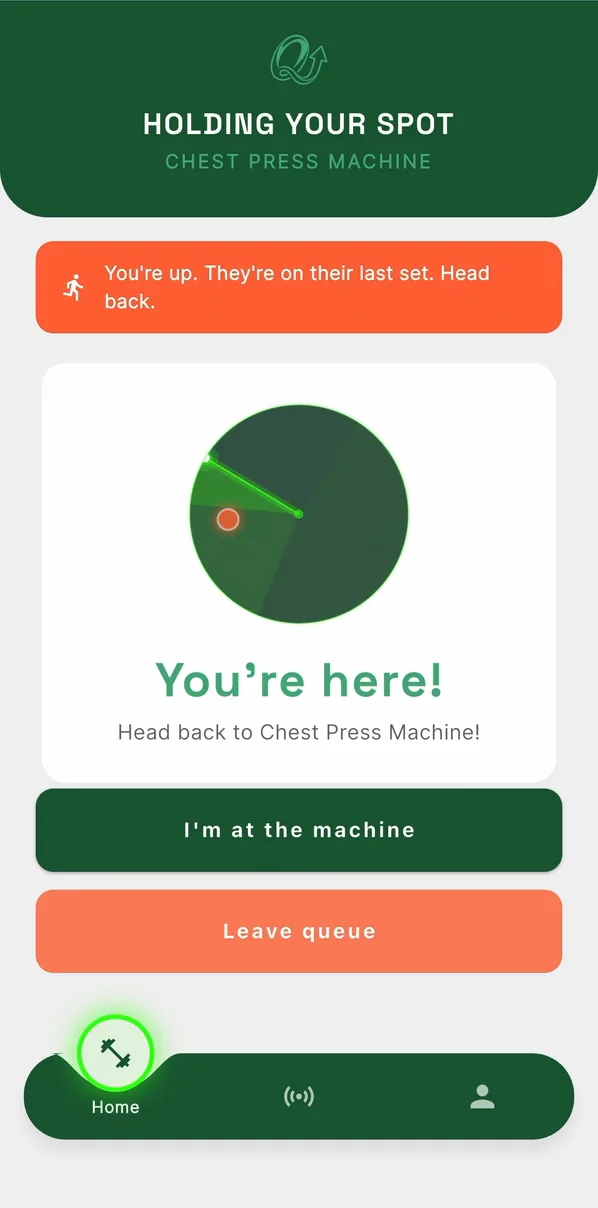
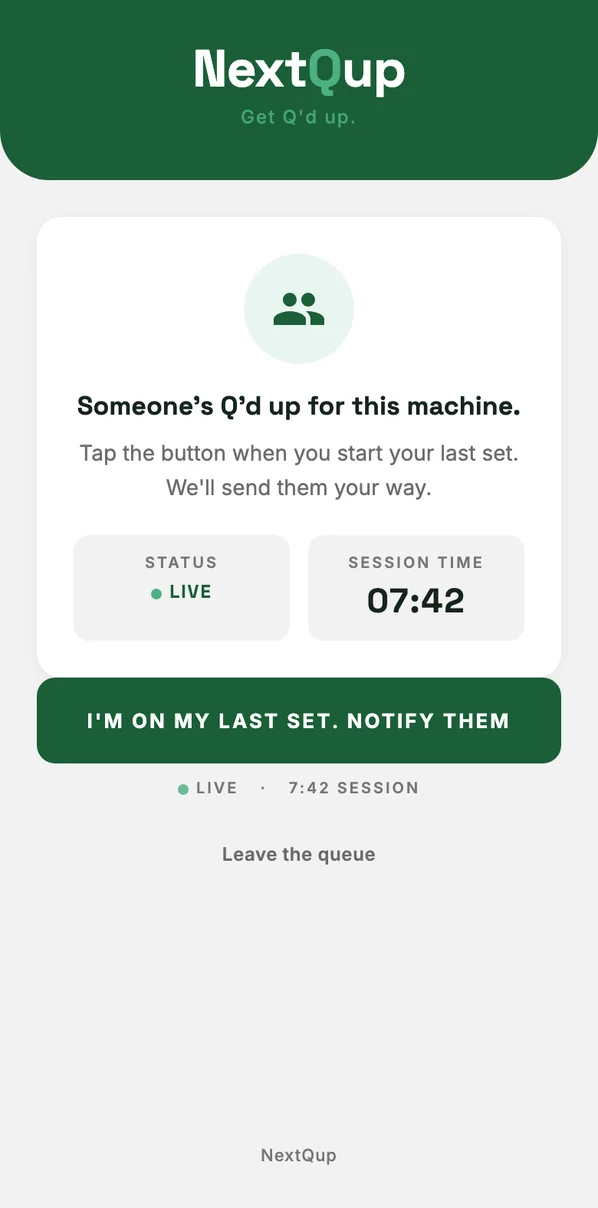
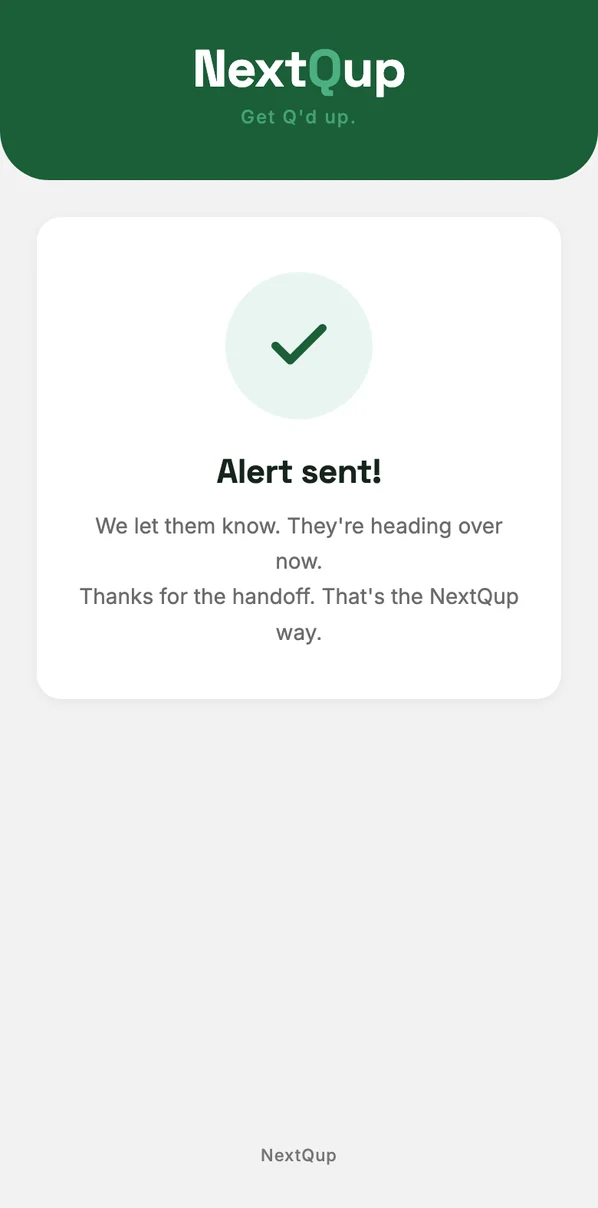
- 1One app. Yours.They skip the download and the sign-up.
- 2They scan with their camera.Any phone works. A web page opens with one button.
- 3One tap from them.They tap when they're almost done. You get the ping.
Same 12 minutes. Two different workouts.
The old wayThe classic hover
- Stand four feet away. Pretend you're resting.
- Stretch a hamstring you already stretched.
- Accidental eye contact in the mirror. Study the ceiling.
- Ask how many sets they have left. “Uh, a few.”
- Finally sit down. Cold muscles, zero momentum.
With NextQupQ'd up
- A quick scan between their sets. NextQup holds your spot.
- Walk away. Knock out three sets of abs or calves.
- Refill your water. Stay warm, keep your pump.
- Ping: they're almost done. Head back.
- Step in warm, with three bonus sets banked.
Four steps. Zero hovering.
Set it up in the time it takes to rack a plate.
-
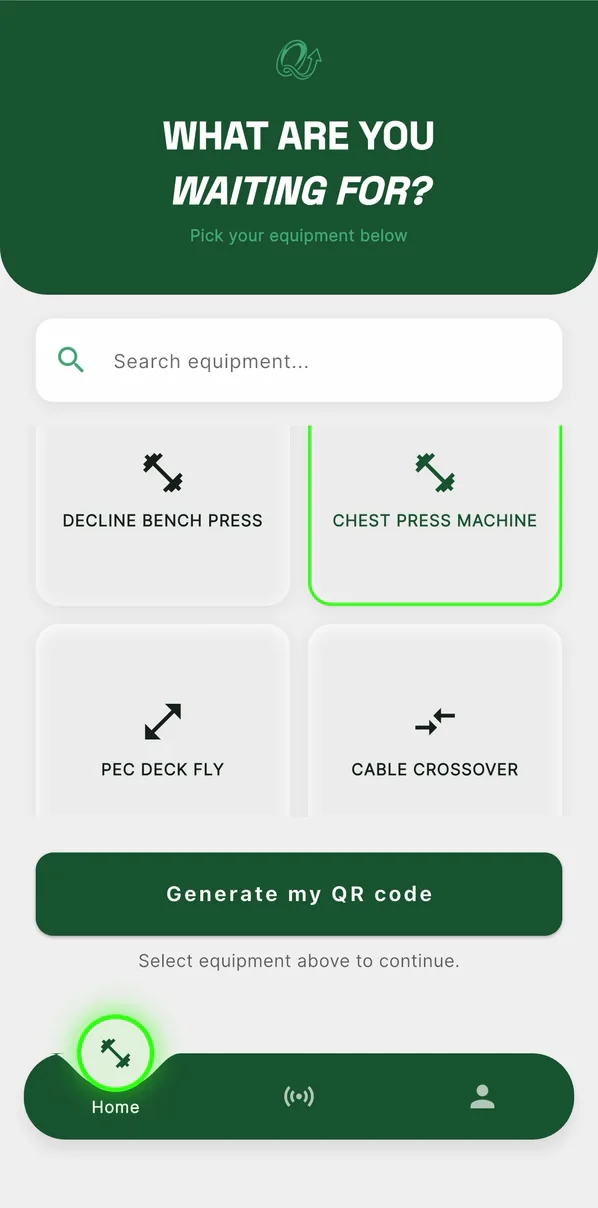
1 Pick the machine
Choose it from the list at your gym, or add your own in seconds.
-
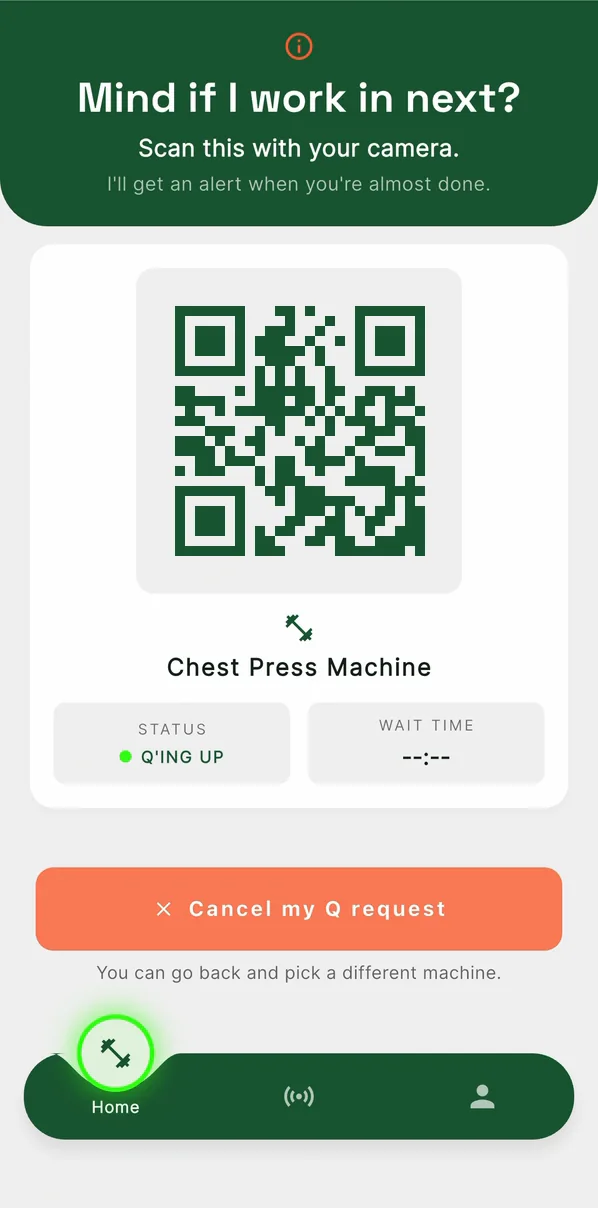
2 Show your code
Ask to go next between their sets. They scan your code with their phone camera.
-
3 Go get work done
NextQup holds your spot. Train something else, grab water, or stretch.
-
4 Get the ping
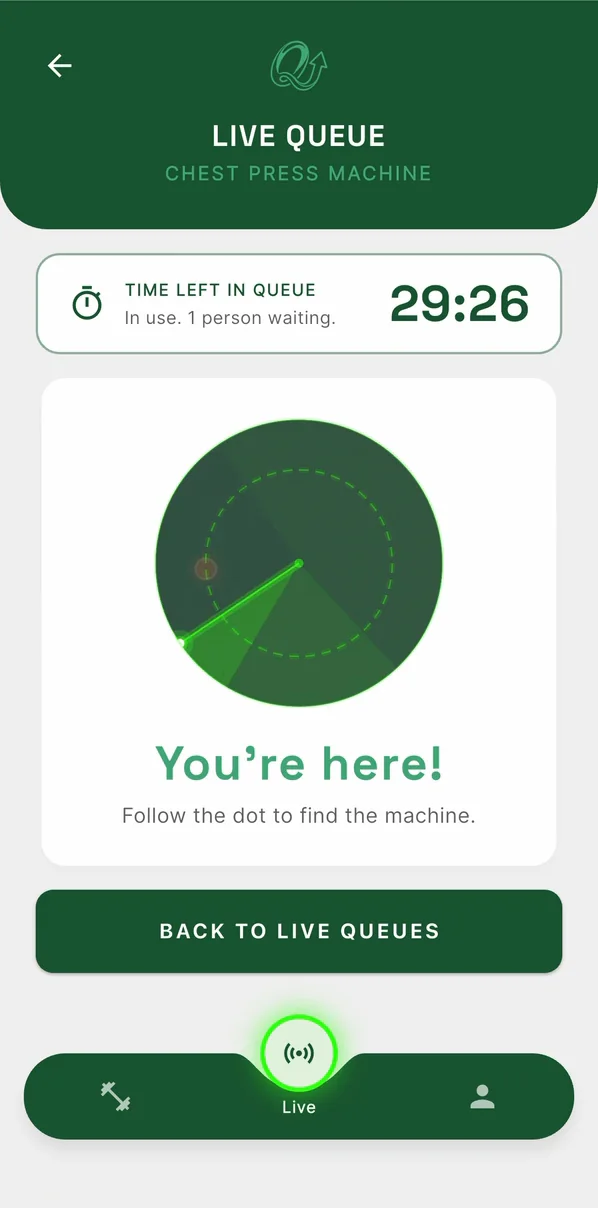
They tap when they're almost done. You have time to walk back. A compass points the way.
Swipe to see all four.
Hey, mind if I go next? Scan this and it'll ping me when you're almost done, so I don't hover.
It beats asking “how many sets left?” every few minutes. They lift in peace, and you get the next turn.
Know what's open before you walk across the floor.
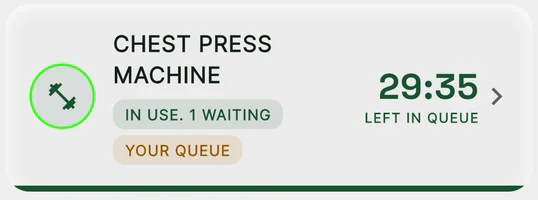
Plan your 6 p.m. workout from the door. The Live tab shows what's happening at your gym now.
- See which machines have a line.Every machine with a NextQup queue at your gym, in one list.
- See how long each wait can run.Every queue has a 30 minute limit, so you can plan your next exercise around it.
- Follow the arrow back.When it's your turn, a compass points you toward your machine.
Quick questions
Will they think it's weird if I ask them to scan?
Most people are glad you asked. They finish their sets in peace while you train somewhere else.
Do they need the app or an iPhone?
No. Any phone camera opens a web page with one button. They tap it when they're almost done. That's all.
What if they take forever or forget to tap?
Every queue has a 30 minute limit. Leave the queue any time and pick another machine.
Will it work at my gym?
Yes. NextQup works at any gym. It finds gyms near you. Add any machine that's missing from the list.
What does it do with my location?
NextQup uses your location to find your gym and to point the compass back to your machine. Other people at your gym never see where you are.
Is it free?
Yes. It's free to download and free to use, with every feature included.
Is there an Android version?
Android is next. Today NextQup runs on iPhone.
Your next set is waiting.You shouldn't be.
Skip the hovering. Keep your momentum. Finish every set warm.
Free on iPhone · Works at any gym · No app needed for the person on the machine